Valigara allows posting a single product or multiple products to a connected Walmart account.
To initiate posting to Walmart, use one of the following three options:
- Single Post - posts the current product.
- This option is available at the bottom of the Product Edit page.
- Click Walmart > Post to Walmart.

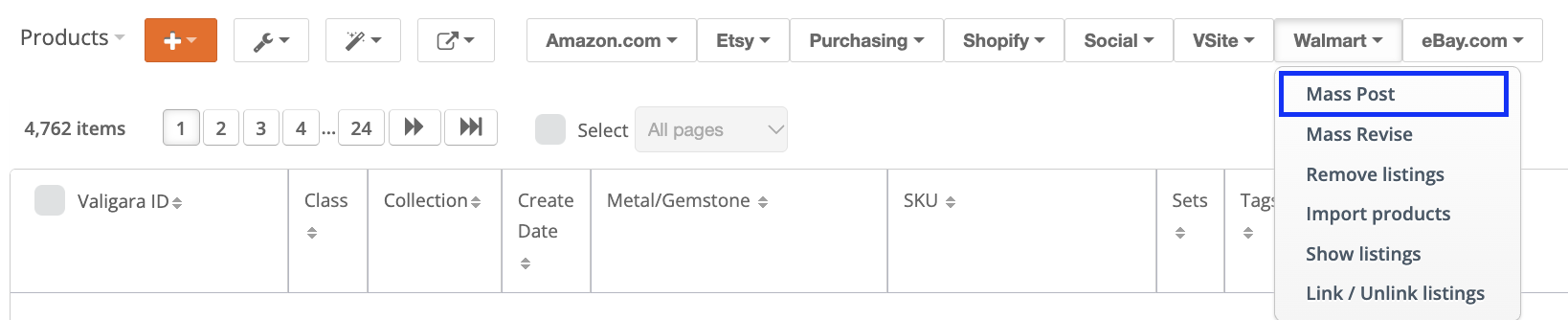
- Mass Post - posts multiple products.
- Go to Catalog.
- Select one or multiple products.
- Click Walmart > Mass Post to Walmart.
- Re-post/revise existing Walmart listings.
- Go to Channels > Walmart Listings.
- Select the relevant listings.
- Filter by Active, Ended, Failed, Not Listed, Scheduled, or Inactive (Closed or Out of Stock). You can also select active listings from one store to post to an additional store.
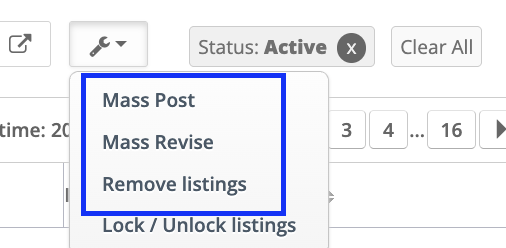
- Under Listing Actions, select:
- Mass Post to Walmart
- Mass Revise Listings on Walmart
 |
|
Was this article helpful?
That’s Great!
Thank you for your feedback
Sorry! We couldn't be helpful
Thank you for your feedback
Feedback sent
We appreciate your effort and will try to fix the article