The "Shopify Site" field in Product Commercial -> Shopify set defines on which sites to display the product. To remove the product from the specific website, remove the account name from the "Shopify Site" field. If the field is empty, Valigara considers the product to be irrelevant for any Shopify websites and removes the product from websites if it is already present.
In this article:
How to remove product(s) from the Shopify store(s)
- Catalog -> Select products to remove from Shopify
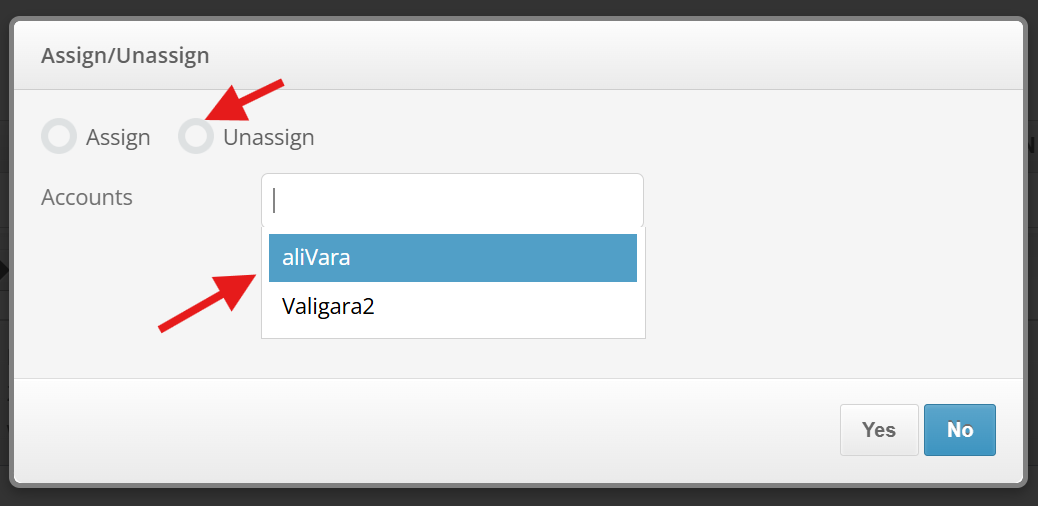
- Shopify -> "Assign/Unassign". Select "Unassign" mode and choose relevant accounts.
- Click "Yes".
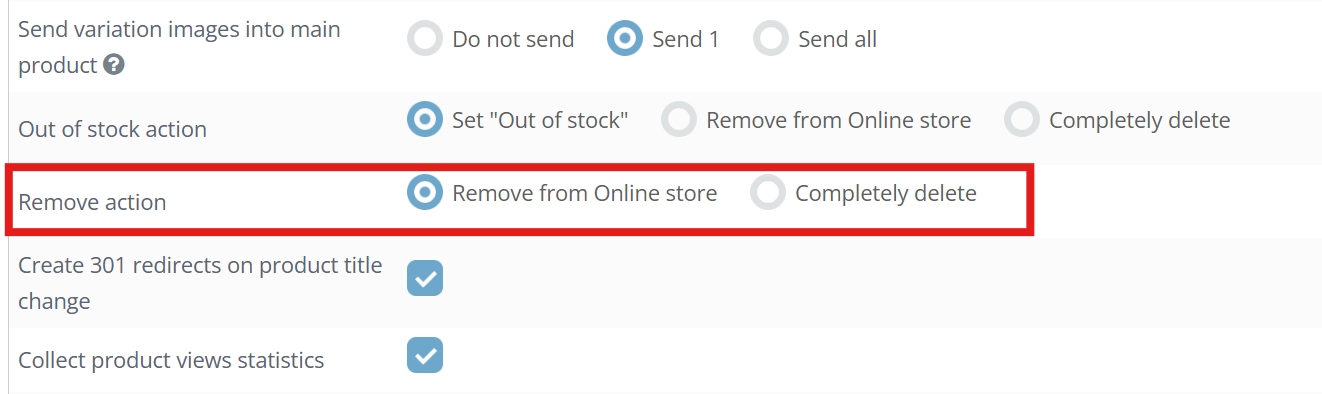
Remove action
- Remove from Online store - Valigara keeps the product in Shopify backoffice and changes the "Product availability" in Online Store to NO
- Completely delete - Valigara completely removes the product from Shopify website
Was this article helpful?
That’s Great!
Thank you for your feedback
Sorry! We couldn't be helpful
Thank you for your feedback
Feedback sent
We appreciate your effort and will try to fix the article
