AI Video Generation helps you turn existing product images into engaging jewelry videos directly in Valigara.
Bring your jewelry to life with motion.
A moving camera, sparkling gemstones, or a model naturally wearing your jewelry can make your products more attractive and help customers understand their appearance.
With Valigara AI Video Generation, you can create professional-looking product videos without organizing a photo shoot or hiring a video production team.
Use existing product images and AI Prompts to generate videos for product listings, websites, social media, advertising, and seasonal campaigns.
- Use cases
- How it works
- Generate a video
- Create an AI Prompt for video generation
- What to include in the prompt
- AI Prompt examples
- Tips
Use cases
- Studio motion scene - create elegant product videos with smooth camera movements, close-up details, rotating perspectives, and professional studio lighting.
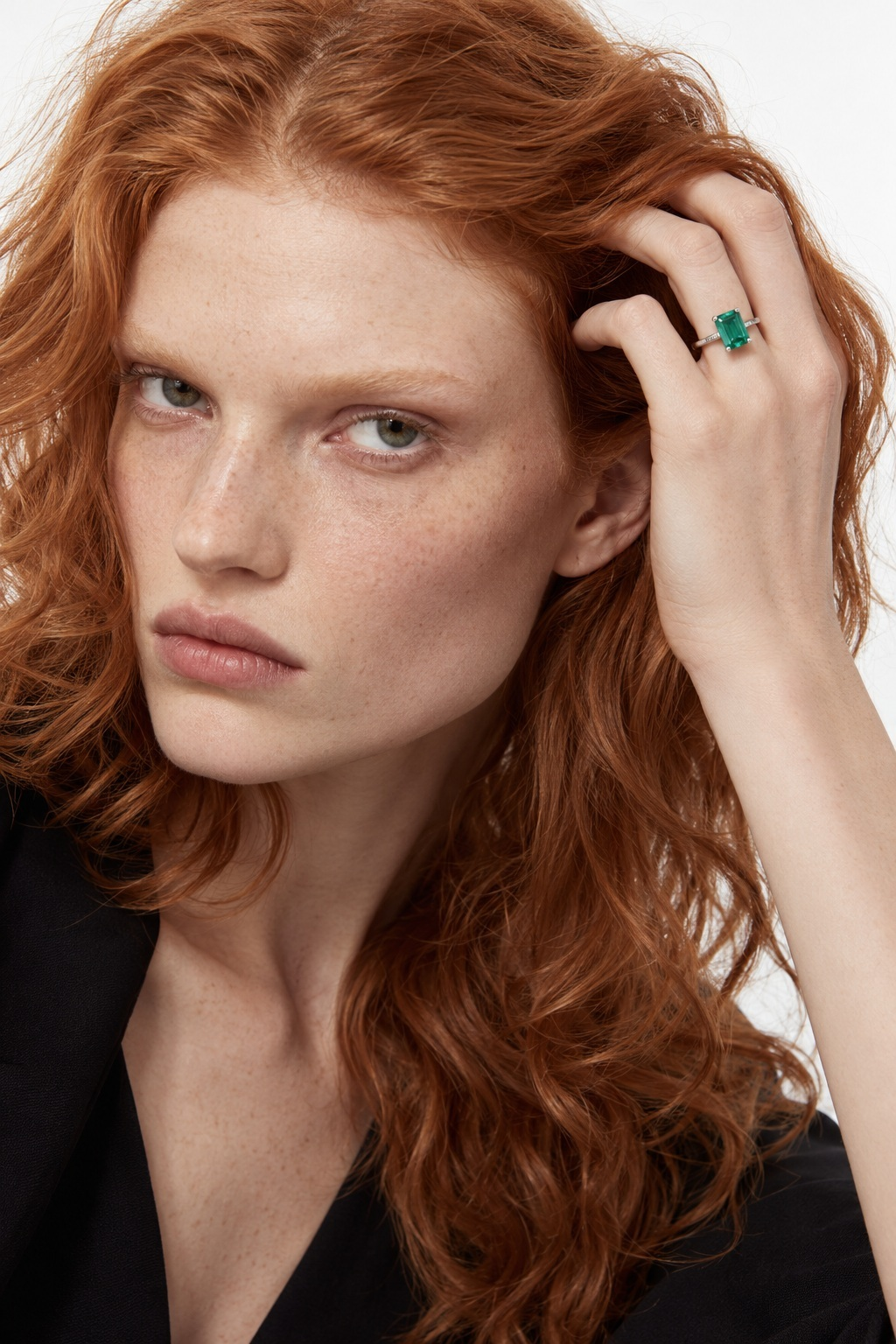
- On-model scene - show jewelry naturally worn by a model. Ideal for demonstrating rings, earrings, bracelets, necklaces, and other wearable jewelry.
- Lifestyle scene - present jewelry in realistic environments, such as an elegant interior, luxury event, or outdoor setting.
- Macro detail videos - highlight gemstone brilliance, settings, metal finishes, engravings, and other fine jewelry details.
- Social media and advertising - generate short, visually engaging videos for promotional campaigns, social media, and online advertising.
- Seasonal campaigns - create themed video content for Valentine's Day, Mother's Day, Black Friday, Christmas, and other special occasions.
How it works
AI Video Generation uses one or more existing product images and an AI Prompt to create a video.
The selected images provide visual references for the product, while the AI Prompt defines the scene, camera movement, lighting, model appearance, and overall video style.
Generate a video
- Go to Catalog -> Product Images.
- Select the product image or images you want to use as references for the video.
- Open Actions -> Generate Video.
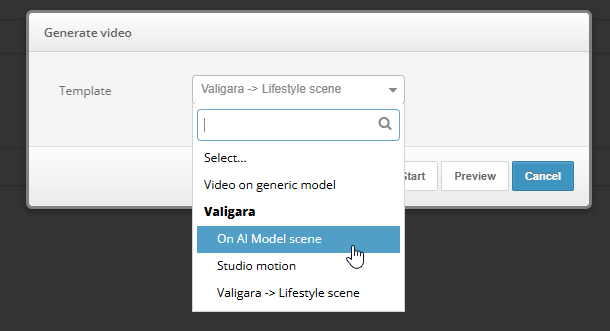
- Select one of relevant AI Prompts:
- Valigara pre-installed prompts:
- On AI Model scene - Generates a close-up video of jewelry naturally worn by a model, with subtle movements that highlight the product.
- Studio motion - Creates a product-video of jewelry on a clean white background, featuring smooth camera movements and realistic lighting.
- Lifestyle scene - creates lifestyle scene with gentle camera movement, atmospheric lighting, and subtle background motion.
- Custom prompt - see p. Create an AI Prompt for video generation below
- Valigara pre-installed prompts:
- Run the action to generate the video.
- Review the generated video before using it in product listings, websites, or promotional materials.
The generated result depends on the quality of the selected images, the AI model, and the instructions defined in the prompt.
Create an AI Prompt for video generation
AI Prompts define how Valigara should generate the video from the selected product images.
To create a prompt for video generation:
- Go to Automations -> AI Prompts.
- Click Add to create a new prompt, or open an existing prompt to edit it.
- Enter a clear internal prompt title, for example Video - Studio Motion - Rings.
- Select an AI model that supports video generation, for example Gemini Omni 1.1 Flash.
- Write the video generation instructions.
- Mark Use for video generation.
- Save the prompt.
After saving, the prompt becomes available in the Generate Video action on the Product Images page.
What to include in the prompt
A good video generation prompt should describe not only how the scene should look, but also what happens during the video.
For best results, include the following information:
1. Technical requirements
- Aspect ratio - for example, 9:16 for vertical social media videos, 1:1 for square content, or 16:9 for landscape presentations.
- Video duration - specify the desired duration, such as 5, 8, or 10 seconds, depending on the selected model's capabilities.
- Framing - close-up, macro, medium shot, or wider scene.
- Camera movement - slow zoom, orbit, pan, dolly movement, or a stationary camera with natural subject movement.
- Video quality - request smooth motion, realistic lighting, high detail, and minimal visual artifacts.
Requested technical settings must be supported by the selected AI model. Actual video dimensions, duration, and resolution may vary.
2. Scene scenario
Describe what happens during the video, including the environment and movement.
- Environment - professional studio, elegant interior, luxury showroom, outdoor setting, etc.
- Action - a camera moving around the jewelry, a model turning her head, a hand adjusting a bracelet, or light reflecting from a gemstone.
- Lighting - soft studio light, natural daylight, warm evening light, or dramatic luxury lighting.
- Mood - minimalistic, elegant, romantic, modern, editorial, or premium luxury.
Example: A close-up studio scene featuring a diamond ring. The camera slowly moves from left to right while soft directional lighting creates natural reflections on the diamond and polished metal.
3. Item specifics and product accuracy
Jewelry details are extremely important. The generated video should represent the original product as accurately as possible.
Include instructions to preserve:
- Jewelry type and design
- Metal type, color, and finish
- Gemstone type, color, shape, and arrangement
- Number of stones and their settings
- Product proportions, dimensions, and appearance
- Engravings and other distinctive details
Explicitly instruct the model not to add, remove, or change jewelry components.
4. Styling and model appearance
For on-model and lifestyle videos, describe the model and styling to keep the generated visuals consistent with your brand.
- Model appearance - age range, hairstyle, makeup, and overall fashion look.
- Clothing - minimalistic outfit, evening dress, business attire, or other relevant styling.
- Jewelry placement - ring on the finger, earrings on the ears, bracelet on the wrist, or necklace around the neck.
- Natural movement - subtle hand movements, gentle head turns, relaxed poses, or walking.
- Product focus - keep the jewelry clearly visible throughout the scene.
For rings, bracelets, and earrings, close-up framing is generally more suitable than full-body scenes, as it keeps the jewelry visible and detailed.
Video Examples
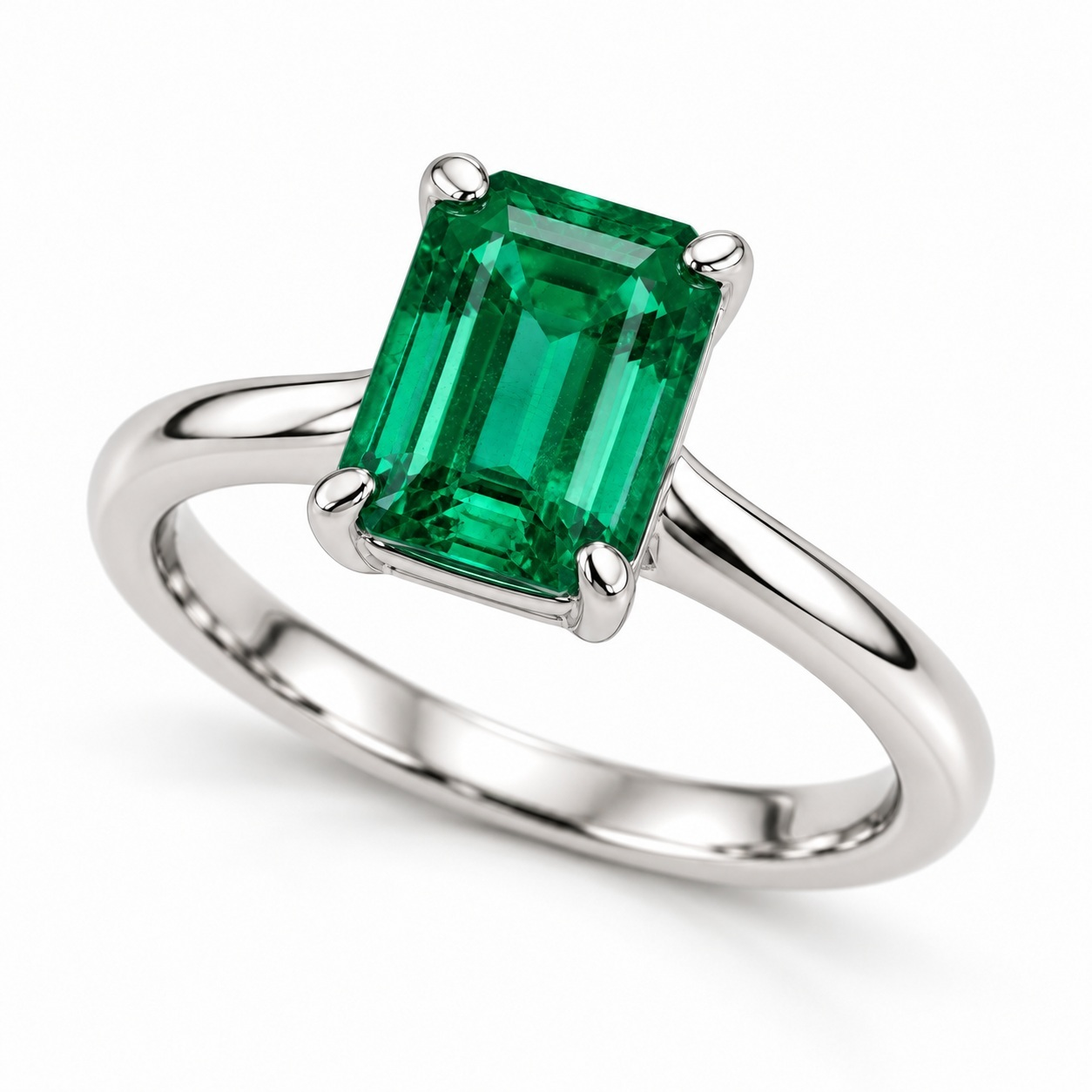
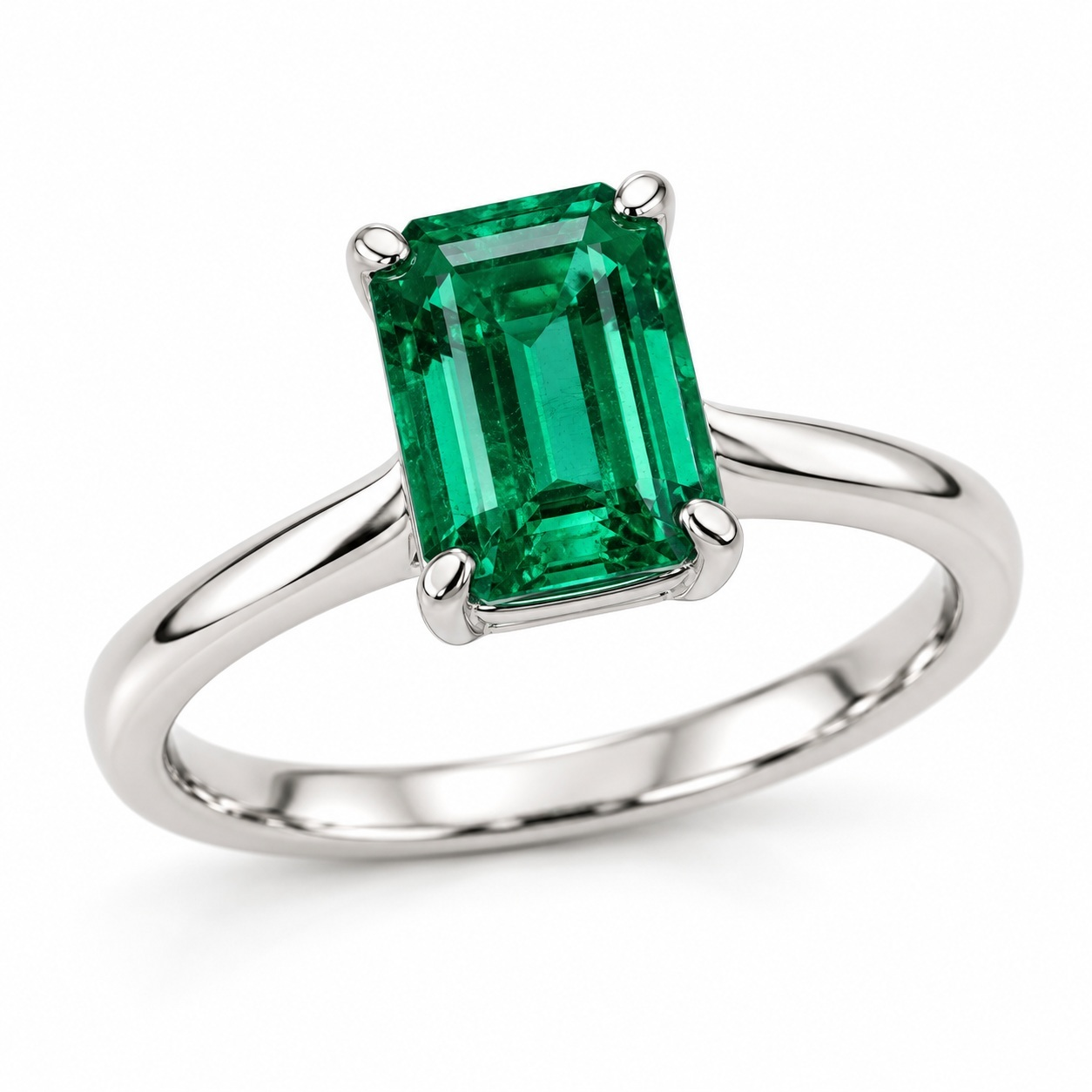
Input Images
Generated Videos
AI Prompt examples
Studio motion - Jewelry
Goal: Create a clean, premium product video with smooth camera movement.
Generate a photorealistic 9:16 vertical jewelry product video using the provided image as the product reference.

Scene: A luxury studio setting with a clean neutral background and elegant softbox lighting.

Camera: A slow, smooth orbit around the jewelry, with a subtle macro push-in to highlight gemstone brilliance and metal details.

Movement: Natural changes in light reflections. The product remains stable and clearly visible.

Style: Premium jewelry advertising, photorealistic, elegant, minimalistic.

Preserve the exact product design, gemstone color, shape, stone count, metal color, settings, and proportions from the reference image.

Do not add or remove any jewelry components. No text, logos, or distracting elements.
On-model - Ring
Goal: Show a ring naturally worn by a model, with the jewelry remaining the main focus.
Generate a photorealistic 9:16 vertical luxury jewelry video using the provided ring image as the exact product reference.

Scene: A close-up editorial fashion shot of a model's hand wearing the ring naturally.

Model: Elegant, natural appearance with minimal makeup and refined styling.

Action: The model slowly raises her hand toward her hair, creating a gentle and realistic movement.

Camera: Tight close-up framing focused on the ring and hand, with shallow depth of field and subtle camera movement.

Lighting: Soft natural daylight with realistic gemstone reflections.

Preserve the ring's exact design, metal color, gemstone color, shape, stone count, and proportions.

Keep the ring clearly visible throughout the video. Avoid distorted fingers, unrealistic movements, or changes to the jewelry.

No text or logos.
Lifestyle - Luxury jewelry
Goal: Create an atmospheric promotional video suitable for websites, social media, and advertising.
Generate a photorealistic 9:16 vertical luxury jewelry lifestyle video using the provided product images as references.

Scene: An elegant modern interior with warm natural light, sophisticated materials, and a premium fashion atmosphere.

The jewelry is the main subject, presented naturally within the scene.

Camera: Smooth cinematic movement with a gentle close-up to highlight the product.

Style: Refined, modern luxury campaign. Realistic textures, soft shadows, natural reflections, and elegant composition.

Preserve the jewelry's original design, material, color, gemstone arrangement, dimensions, and proportions.

Avoid changing the product, adding extra stones, or introducing distracting objects.

No text or logos.
Tips
 |
|
Was this article helpful?
That’s Great!
Thank you for your feedback
Sorry! We couldn't be helpful
Thank you for your feedback
Feedback sent
We appreciate your effort and will try to fix the article