AI Parse Data uses an AI prompt to extract structured product information from existing content (title, description, or other fields) and return it in a format Valigara can import.
- How AI Parse Data works
- How to create a Parsing Prompt
- How to run AI Parse Data
- Use cases
- Important notes
How AI Parse Data works
Valigara creates an individual prompt for each selected product using the parsing prompt template and sends it to the AI engine. The AI returns the parsed result to Valigara in JSON format. Valigara then uses that result in the import or mapping workflow.
The parsed output must be valid JSON. If the response is not valid JSON, the batch will fail at the import step.
How to create a Parsing Prompt
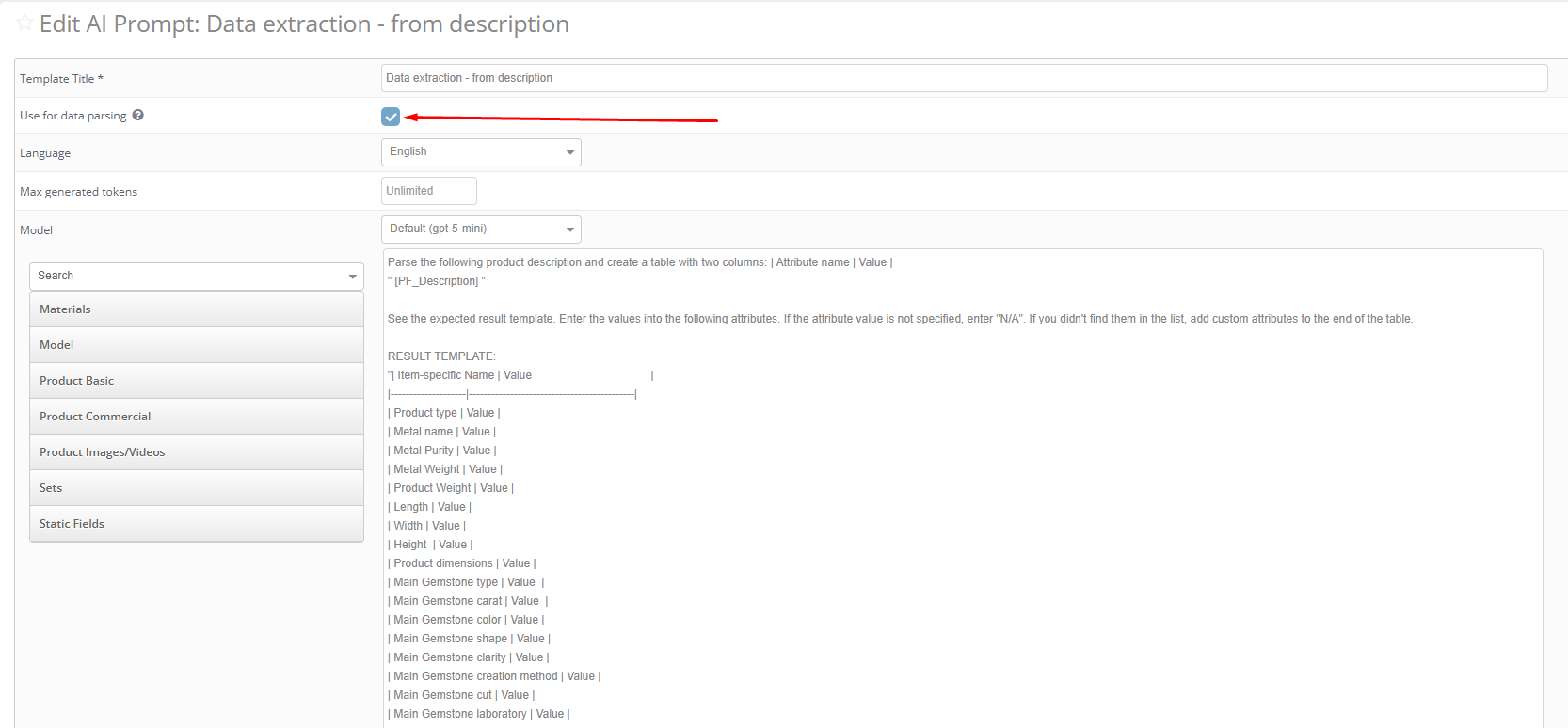
Parsing prompts are created in the same place as regular AI Prompts, with a dedicated option that marks them for parsing use.
- Go to Catalog → Generators → AI Prompts → New Template
- Enter a name for the template
- Write the prompt — use dynamic fields to include product data as source content
- Enable the parsing option for this template
- Save the template
How to run AI Parse Data
- Go to the Catalog page and select the products you want to parse
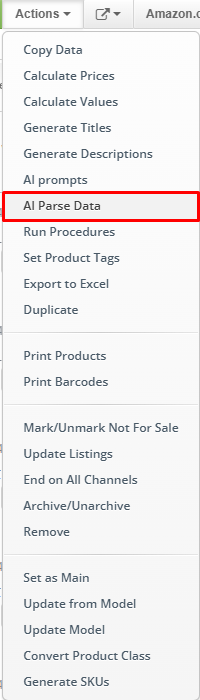
- Click Actions → AI Parse Data
- Select the parsing prompt template
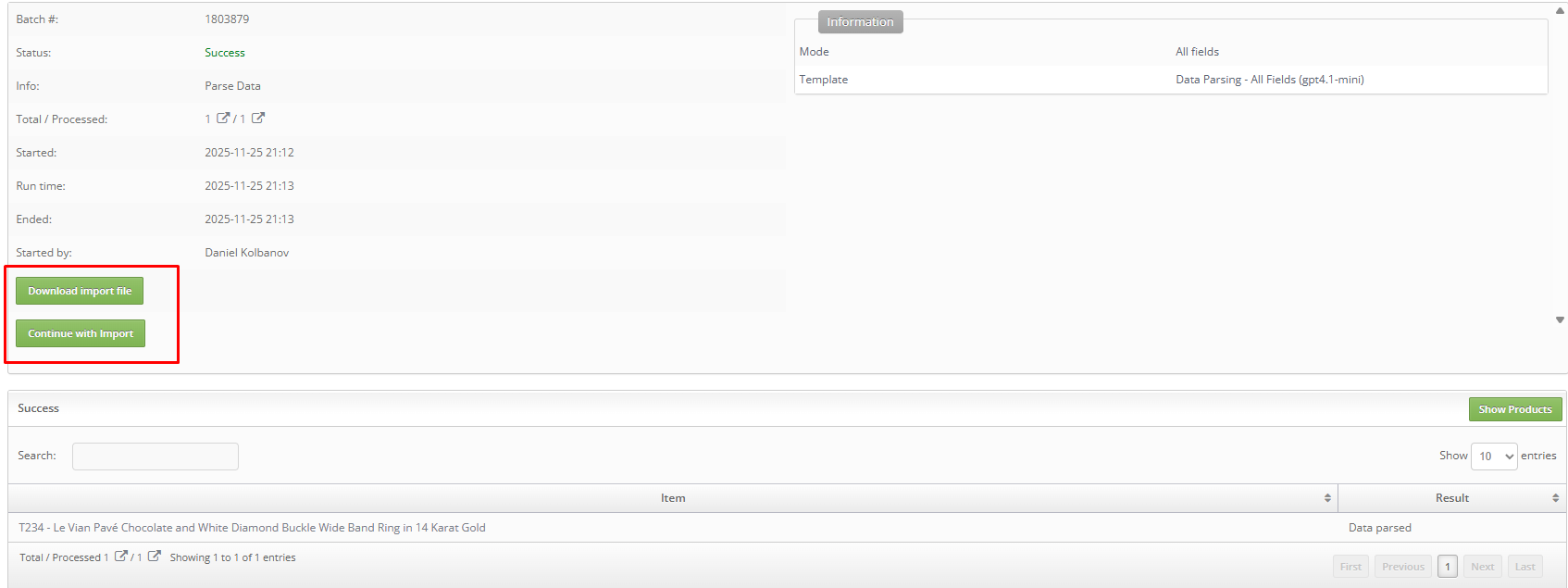
- Click Run — a batch is created
- When the batch is complete, open it to review the parsed output
- Continue with the Import / Mapping step to apply the results
Use cases
- Extracting jewelry attributes (metal, stone type, weight) from product descriptions
- Converting imported unstructured text into structured product parameters
- Cleaning up and normalizing product data
- Filling in missing product fields from existing content
- Preparing content for bulk import or update workflows
Important notes
The AI response must be valid JSON. If the format is wrong, Valigara will show an error in the batch and the import step will not proceed.
Make sure the source content is clean before applying the prompt. AI-generated or raw unformatted content may produce unreliable results.
Parsing prompts can also be applied using Procedures for automated or conditional workflows.
Was this article helpful?
That’s Great!
Thank you for your feedback
Sorry! We couldn't be helpful
Thank you for your feedback
Feedback sent
We appreciate your effort and will try to fix the article